CelestKin is an astrology app that computes your actual birth chart nine times, once in each tradition: Vedic, Chinese Four Pillars, Mayan, Numerology, Western, KP, Human Design, Laal Kitab, and Biorhythm.
Vedic, KP, Western, Human Design, Laal Kitab and the Four Pillars are worked out from your date, time and place of birth; numerology, the Mayan count and biorhythm are counted from your birth date, and numerology also reads your name.
Most astrology apps hand you a paragraph about your Sun sign and call it a day. The tour below shows what CelestKin does instead, screen by screen: Today, the charts, Ask the Stars, insights and tools. Every image is a real capture from the app — the same screenshots you'll find on the store listing.
The First Screen: Nine Doors, One Welcome
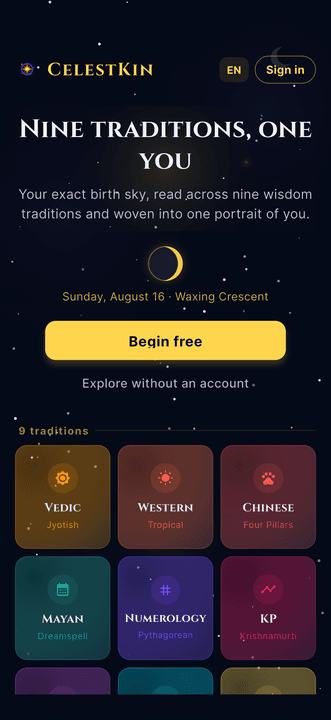
Open the app and you're greeted by tonight's actual moon — drawn live and phase-accurate — above the nine traditions. No account wall, no quiz, no fake urgency. You choose where to begin.
What Does the Today Screen Show?
The Today screen opens from the More menu at the right end of the bottom bar; the app itself opens on Explore, home of the Daily Edition, and the first tab, Universe, holds the feed. Today starts with the day's cosmic gifts and an ask box with a few suggested questions. Below them come a short focus for the day and a card with the date, the Moon's phase, the Moon sign from your birth chart and one line for your numerology personal day. When one of your timing windows is open or coming up, such as a Jupiter return year, the card names it, and tapping it opens the 14-Day Forecast. Below that, Today's Cosmic Briefing reads the day from your personal day and biorhythm cycles. Those readings are counted from your own birth date, not your Sun sign.
The day's love, career, health and growth scores are no longer on Today. They have their own row in the More menu, the 14-Day Forecast, which splits each day into two-hour slots and marks which score peaks in each, working from your Vedic period, numerology days, biorhythm and the Moon's phase among other inputs. Choosing a date for an event is a separate tool again: the app's Auspicious Time finder scores days from the panchang (tithi, nakshatra, yoga, karana and weekday) for the kind of event you choose, not from your birth chart, and the web muhurat page explains that method without a calculator of its own. We walk through the daily scores in more depth in the daily cosmic timing guide.
Which Charts Does CelestKin Compute?
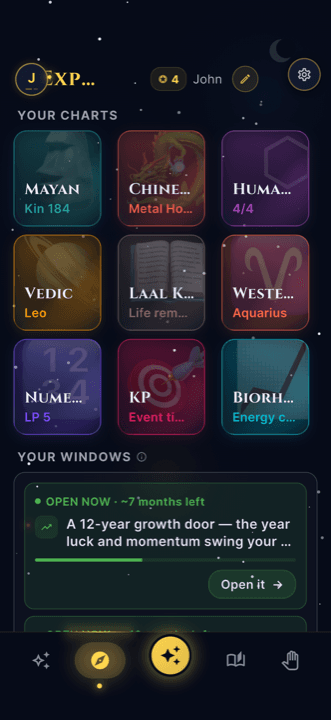
CelestKin computes a real chart for every tradition: your Vedic rashi and nakshatra with dasha timing, your Four Pillars with elements and animal year, your Mayan galactic signature, your Human Design type and authority, your Western placements — all from one set of birth details, entered once. Several have free calculators on the web, among them the nakshatra calculator and the Human Design chart, which work from a birth date in your browser and so show less than the app does with your birth time and place.
The charts don't just display numbers. Every value comes with a plain-language explanation of what it means for you — because a chart you can't read is decoration, not insight. If you want the arithmetic rather than the output, the methodology page sets out what each tradition is actually computing, and how nine traditions become one reading explains how they are reconciled.
Ask the Stars: A Reading You Can Talk To
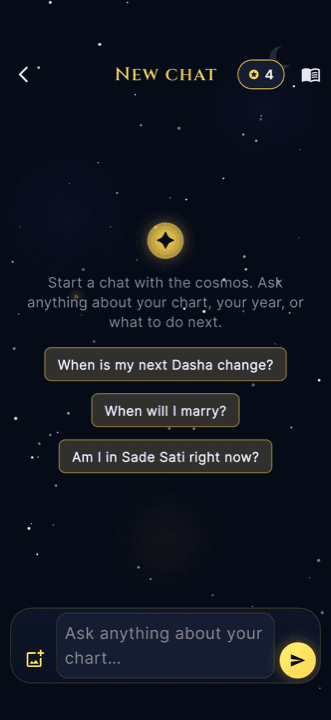
Charts answer the questions you didn't know to ask. For the ones you did — the job, the move, the relationship — there's Ask the Stars. Type a real question and the answer is grounded in your own charts across the traditions, with specific timing and practical next steps. Then ask a follow-up. It remembers the conversation.
You can also choose who answers. A row of guides above the thread lets you hand the question to one tradition's voice, from Vedic and Chinese to Laal Kitab and Biorhythm, or leave it unset so the traditions are chosen per question. A length setting beside the message box sets replies to the default, a short TL;DR or a detailed answer, and stays that way until you change it.
Deep Insights and the Quick Tools
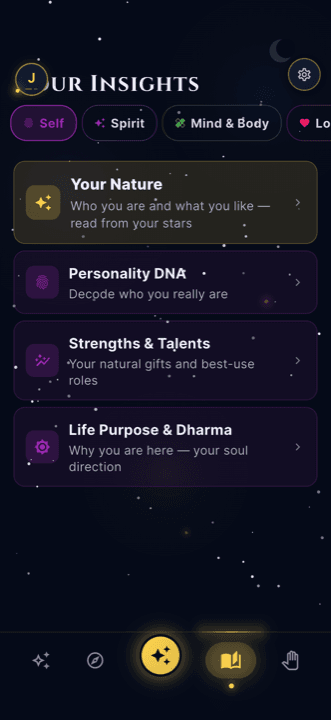
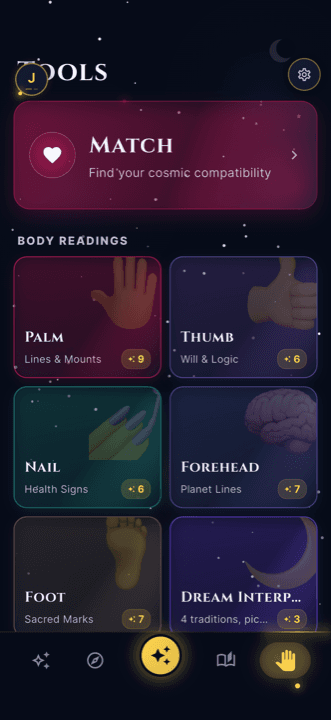
Beyond the daily rhythm there are focused insight readings for the areas of life you actually think about — love, career, money, family — plus a shelf of specialist tools: palm and face reflection guides, dream interpretation, aura, name vibrations, and space-harmony checks. A slice of that shelf is open on the web at free tools, no account required.
Before You Create an Account
Part of this tour works before you create an account. Tap Explore without an account on the welcome screen and CelestKin opens your Daily Edition, your portrait and the ask box straight away. The full chart screens, the quick tools, your reading history and a second birth profile ask for a free account, and whatever you received as a guest moves into that account when you create it. The guide to using CelestKin without an account covers what carries over and the one case where it does not.
Built Quiet on Purpose
You'll notice what isn't here: no ads, no streak guilt, no notification spam engineered to drag you back. CelestKin is designed like an almanac — a quiet, dark-gold reference you consult when you want it. It speaks eleven languages, and the text of the readings it saves to your account is encrypted with AES-GCM, the authenticated-encryption mode specified by NIST.
The eleven languages are English, French, Spanish, German, Hindi, Punjabi, Japanese, Korean, Chinese, Polish and Portuguese. And if you decide to leave, deleting your account takes a three-second hold under the gear icon at the top right, with 30 days to change your mind or the option to delete at once. The 30 days are for an account with an email address or a sign-in provider: a guest session is signed out when its deletion is confirmed and has nothing to sign back in with, so a guest cannot cancel.
Take the tour with your birth details
Every screen above changes with the birth details you enter: the Today windows, the nine charts and the answers Ask the Stars gives.